Quit at your pace

See how far you've come.

Quit or cut back on nicotine, weed, sugar and social media. One slip never takes you back to zero, and SOS is always free.

See how it works iPhone and Android

Coming to the App Store and Google Play in December 2026. For adults 18+.

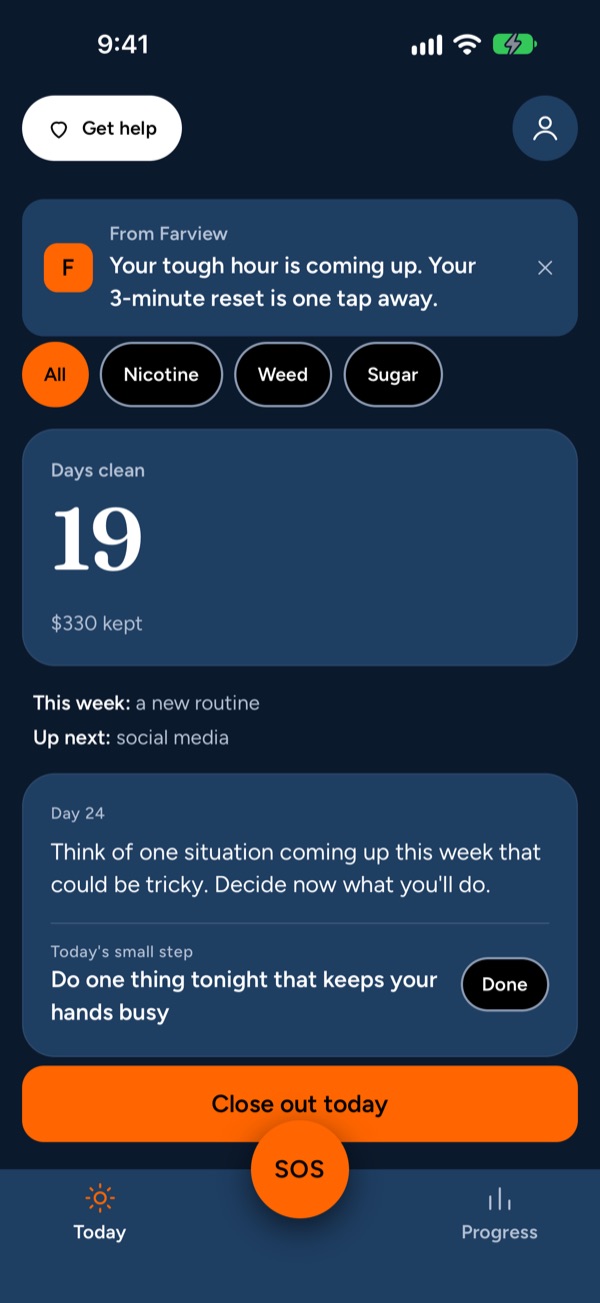
The Farview Today screen: 19 days clean, $330 kept, a heads-up that your tough hour is coming up, and a Close out today button.

Three things we promise

Most apps wait for you to open them, and start over the moment you slip. Farview works the other way.

  1. 1

    We never start you from zero

    Slip, and your total days stay. You note what happened, see what led to it, and keep going from where you are.

  2. 2

    We show up before your hardest hour

    Tell Farview when urges hit hardest. It checks in 15 minutes before, so you have a plan ready.

  3. 3

    Your data stays on your phone

    No account. No ads. No data sales. What you log is encrypted on your device and never leaves it.

One app for the habits that come together

Work on one habit, or a few together, one after another. Each gets its own counter and its own plan, all in one subscription.

  • Nicotine

    Cigarettes, vapes and pouches. Pick one or more; each gets its own counter.

    QuitCut back
  • Weed

    Including evenings and sleep. If you mix it with tobacco, Farview plans for both.

    QuitCut back
  • Sugar

    Fewer sweet cravings, at your pace, with no diet talk.

    Cut back
  • Social media

    Less late-night scrolling. You set the limit and see the time you get back.

    Cut back

Picking several? Farview suggests one plan for where to start, and you can change it with one tap.

Simple enough for the hardest days

Setup takes about 90 seconds. After that, the only thing Farview asks each day is a quick close-out in the evening.

SOS, always free

A 3-minute reset for the hardest minutes

When an urge hits, tap SOS. It starts right away, no questions first: breathing, a quick distraction, or a reason you wrote for yourself.

  • Your phone pulses with each breath, so you can look away
  • Wait 5 minutes, play your own voice note, or try another tool
  • Crisis help is one tap away on every screen

In the app"Urges rise and fall like a wave. Ride this one with me for 3 minutes."
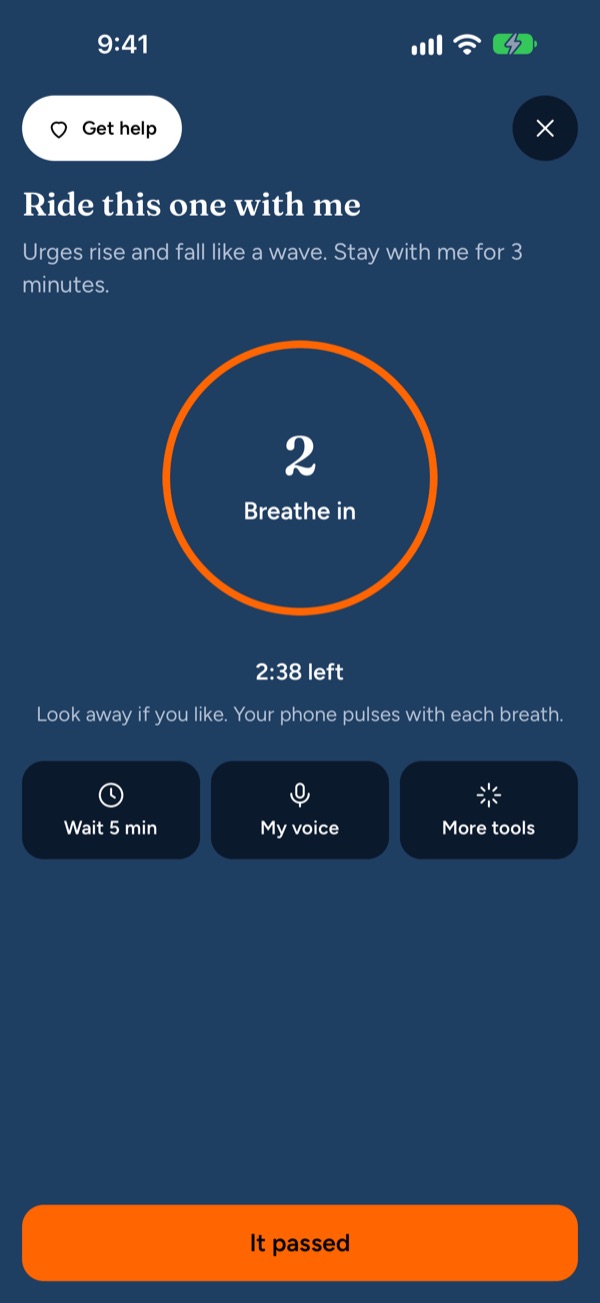
The SOS screen: a breathing circle that says Breathe in, 2:38 left, with Wait 5 min, My voice and More tools buttons.
A heads-up before your hardest hour

Help that comes before the urge

Tell Farview when urges usually hit. It checks in 15 minutes before, so you have a plan instead of fighting it in the moment.

  • Reminders never name a habit on your lock screen
  • Close out each day in a few seconds, one tap per habit
  • You choose how often and when. Three simple switches.

Reminder"Your tough hour is coming up. Your 3-minute reset is one tap away."

The Today screen with a heads-up card about the tough hour, a days clean counter and the day's card.
Slip without starting over

One slip doesn't take you back to zero

Most counters start over the moment you slip. Farview keeps your total and only restarts the small "since last slip" line for that habit.

  • Every urge you ride out counts
  • Milestones mark how far you've come
  • No red, no penalty screens, no lost progress

After a slip"One slip doesn't erase 19 days. What would help next time?"

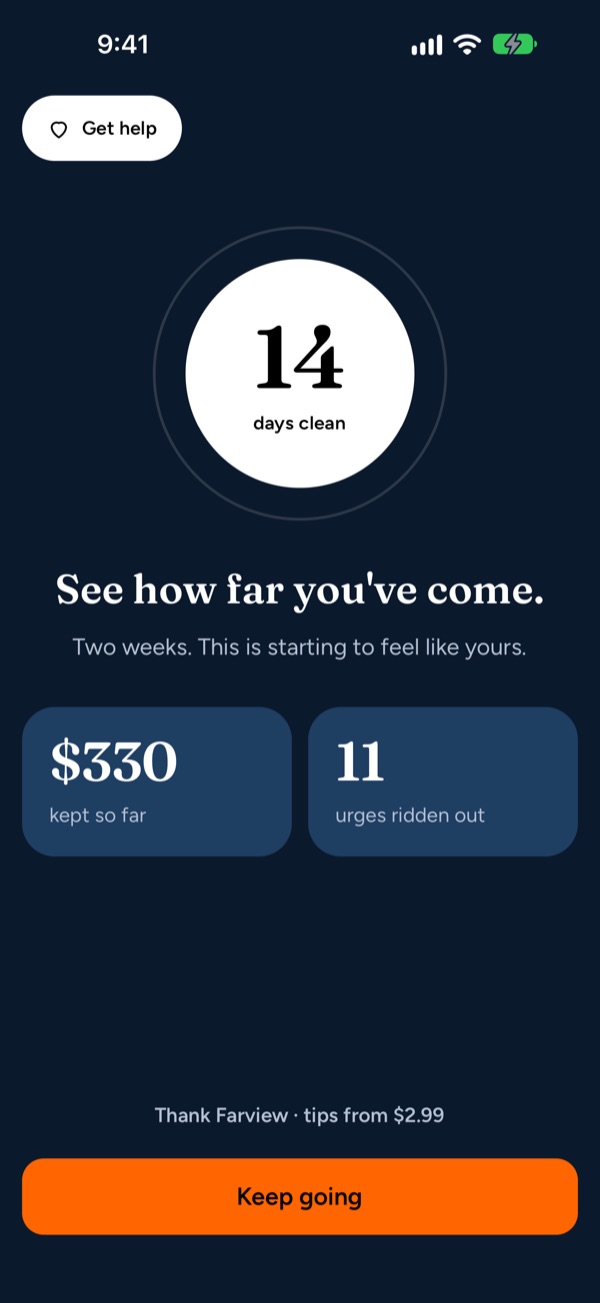
A milestone screen: 14 days clean, $330 kept so far and 11 urges ridden out.
Your plan

Quit, or cut back step by step

Stop all at once, or step down with daily limits that get a little smaller each week, only if you say yes. When you're ready, the next habit starts with a single screen.

  • One suggested plan, not a list of choices
  • Every setting comes with a sensible default
  • Not ready? "Ask me in 7 days" is always an option
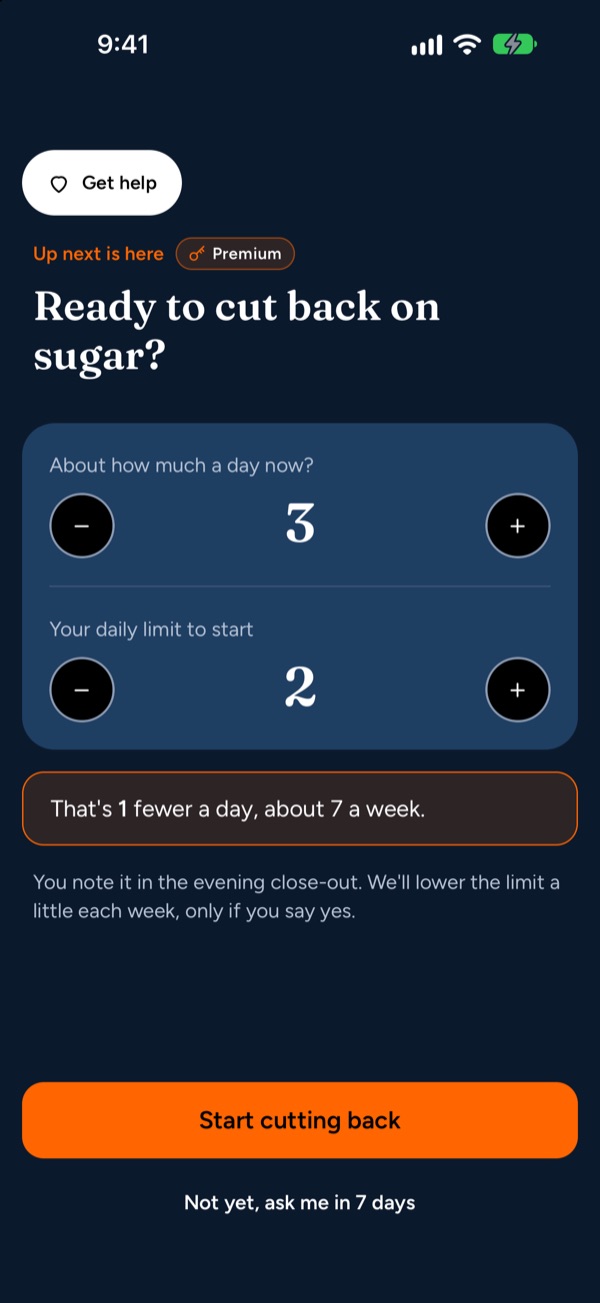
The screen to start cutting back on sugar: about 3 a day now, a daily limit of 2 to start, and a Start cutting back button.
See what's changing

See how far you've come

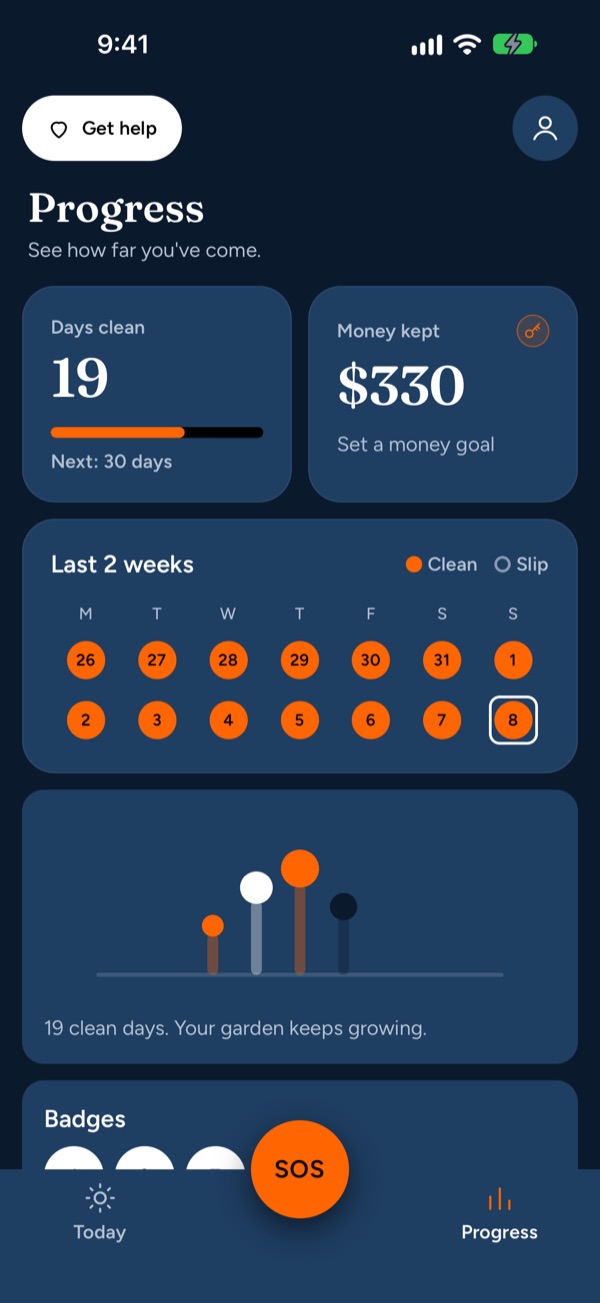
Your days clean, the days you closed out, the urges you rode out, and the money and time you kept. A small garden grows with your clean days and never wilts.

  • A calm calendar: clean days and slips, no red
  • A week-by-week look at what's changing in your body, with sources
  • A money goal for what you keep
The Progress screen: 19 days clean, $330 money kept, a two-week calendar of clean days and a growing garden.
Private by default

What you log stays on your phone

Farview has no account and no server that stores your habit data. Everything is kept in an encrypted database on your device, and we can't see it.

  • No accountNothing to sign up for
  • No adsNo ad or analytics tools in the app
  • No data salesNever, to anyone
  • EncryptedOn your phone, out of backups

Lock the app with Face ID or your passcode. Delete everything with one button.

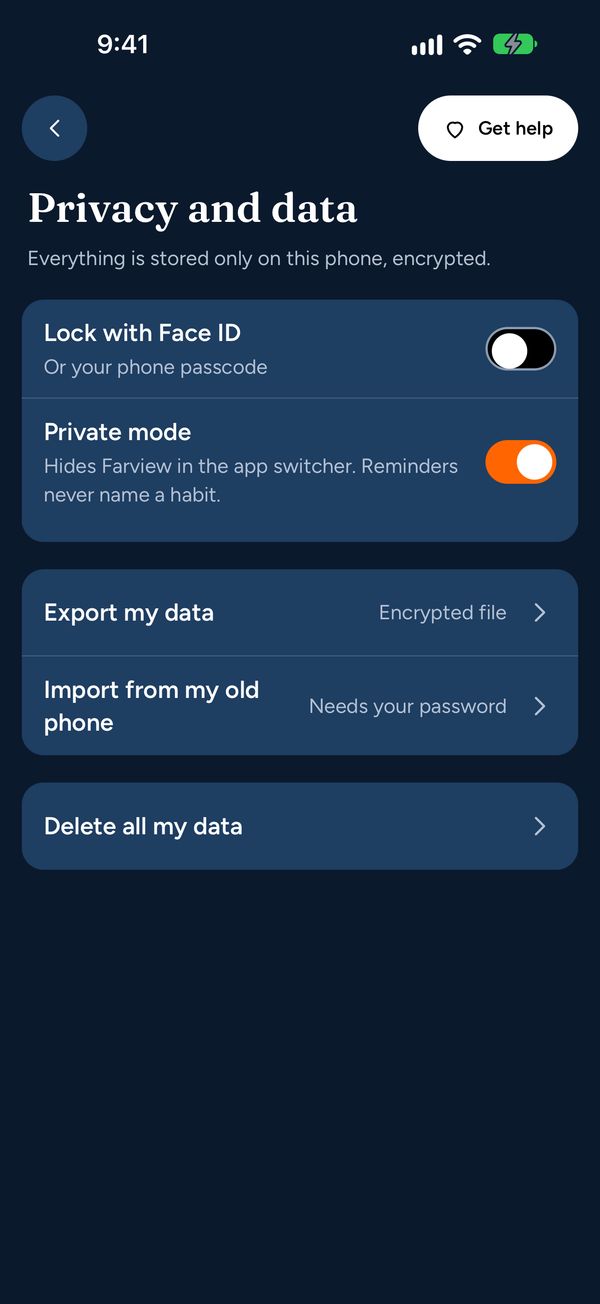
The Privacy and data screen: lock with Face ID, private mode, export, import and delete all my data.

Free to start. Fair when you grow.

SOS and crisis help are always free. Premium costs less than most single-habit apps and covers every habit.

Free

$0

Forever. No trial clock.

  • One habit at a time
  • Days-clean counter that doesn't start over after a slip
  • Daily close-out and hard-hour heads-ups
  • SOS tools and crisis help

Premium

Everything in Free, plus:

  • More habits, together or one after another
  • Your step-by-step plan
  • Full progress: what's changing in your body, week by week
  • A money goal for what you keep
Yearly7 days free
About $1.67 a month
$19.99/yr
Monthly
Cancel anytime
$4.99/mo
Lifetime
Pay once, no renewals
$49.99

Prices in US dollars. Subscriptions renew automatically unless cancelled at least 24 hours before the end of the period. Manage or cancel them in your App Store or Google Play account settings. Cancelling during the 7-day free trial costs nothing.

Can't afford it? Tap "Can't afford it?" on any Premium screen in the app and we'll send you a free code.

Questions

I slipped. Did I lose my progress?

No. Your total clean days stay; only that habit's "since last slip" line starts again.

Where is my data?

Only on your phone, encrypted. We can't see it or restore it. To move to a new phone, use Me → Privacy and data → Export, then Import on the new phone.

Do I need an account?

No. There is no sign-up and no login. Purchases are handled by Apple or Google with your store account.

Can I work on more than one habit?

Yes. With Premium you can work on several habits together or one after another, each with its own counter and plan. The free plan covers one habit at a time.

How do I cancel Premium?

Me → Subscription → Cancel opens your App Store or Google Play subscriptions. Cancelling during the 7-day trial costs nothing.

Is Farview medical advice?

No. Farview is a general wellness app with tools, reminders and information to help you quit or cut back. It does not replace a doctor, pharmacist or counselor. Talk to a health professional before changing any medication or using nicotine replacement products.

Who is Farview for?

Adults 18 and older in the United States, on iPhone and Android.

More answers on the support page.

Quit at your pace.
Slip without starting over.

Coming to iPhone and Android in December 2026.